Connect Wrodium directly to your content management system to analyze, optimize, and publish AI-optimized content without leaving your workflow.
Created date:
Dec 5, 2025
Updated date:
Dec 11, 2025
Overview
Wrodium's CMS integration allows you to:
Pull content from your CMS for AI visibility analysis
Push optimized content back to your CMS with one click
Track performance across all your published articles
Maintain content with automated optimization recommendations
Supported Platforms
Platform | Read | Write | Real-time Sync |
|---|---|---|---|
WordPress | ✅ | ✅ | ✅ |
Webflow | ✅ | ✅ | ✅ |
Contentful | ✅ | ✅ | ✅ |
Ghost | ✅ | ✅ | ✅ |
Framer | ✅ | ✅ | Via Plugin |
Custom (Webhook) | ✅ | ✅ | ✅ |
Quick Start
1. Connect Your CMS
Navigate to Settings → CMS Connection in your Wrodium dashboard and select your CMS provider.
2. Configure Authentication
Each CMS requires specific credentials:
WordPress: Username + Application Password
Webflow: API Token + Collection ID
Contentful: Management Token + Space ID
Ghost: Admin API Key
Custom: Webhook URLs + Auth Headers
3. Start Optimizing
Once connected, visit the Maintenance tab to:
View all your published articles
Analyze content for AI visibility
Generate optimized versions
Push updates directly to your CMS
How It Works
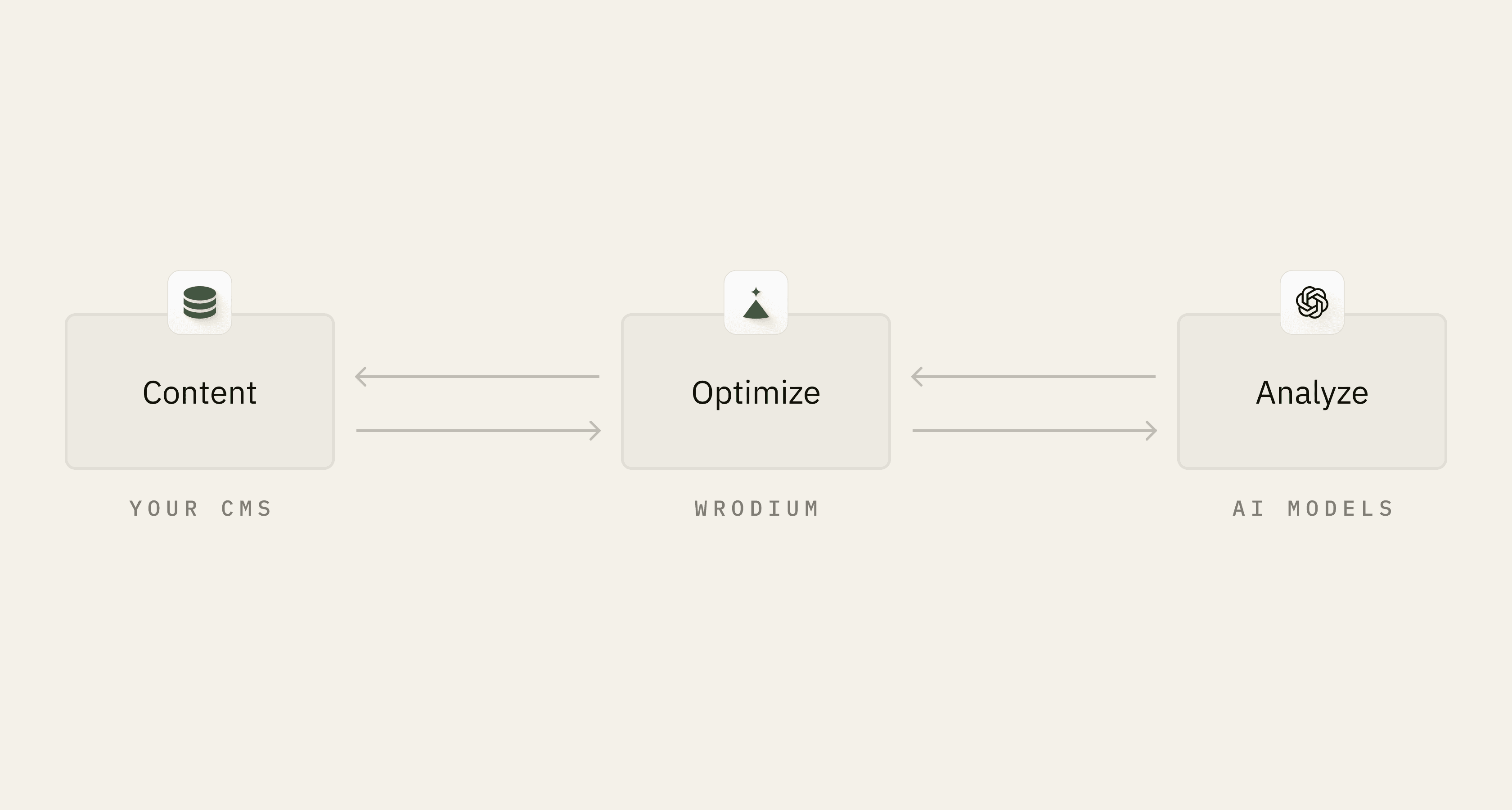
Wrodium pulls your existing content via the CMS API
Our AI analyzes content for citation potential
You review and approve optimizations
Wrodium pushes the updated content back to your CMS
API Endpoints
List Articles
Returns normalized article data from your connected CMS.
Update Article
Pushes optimized content back to your CMS.
Next Steps
Need Help?
Email: support@wrodium.com
Documentation: wrodium.com/docs
Status: status.wrodium.com